One song in. Four parts out.
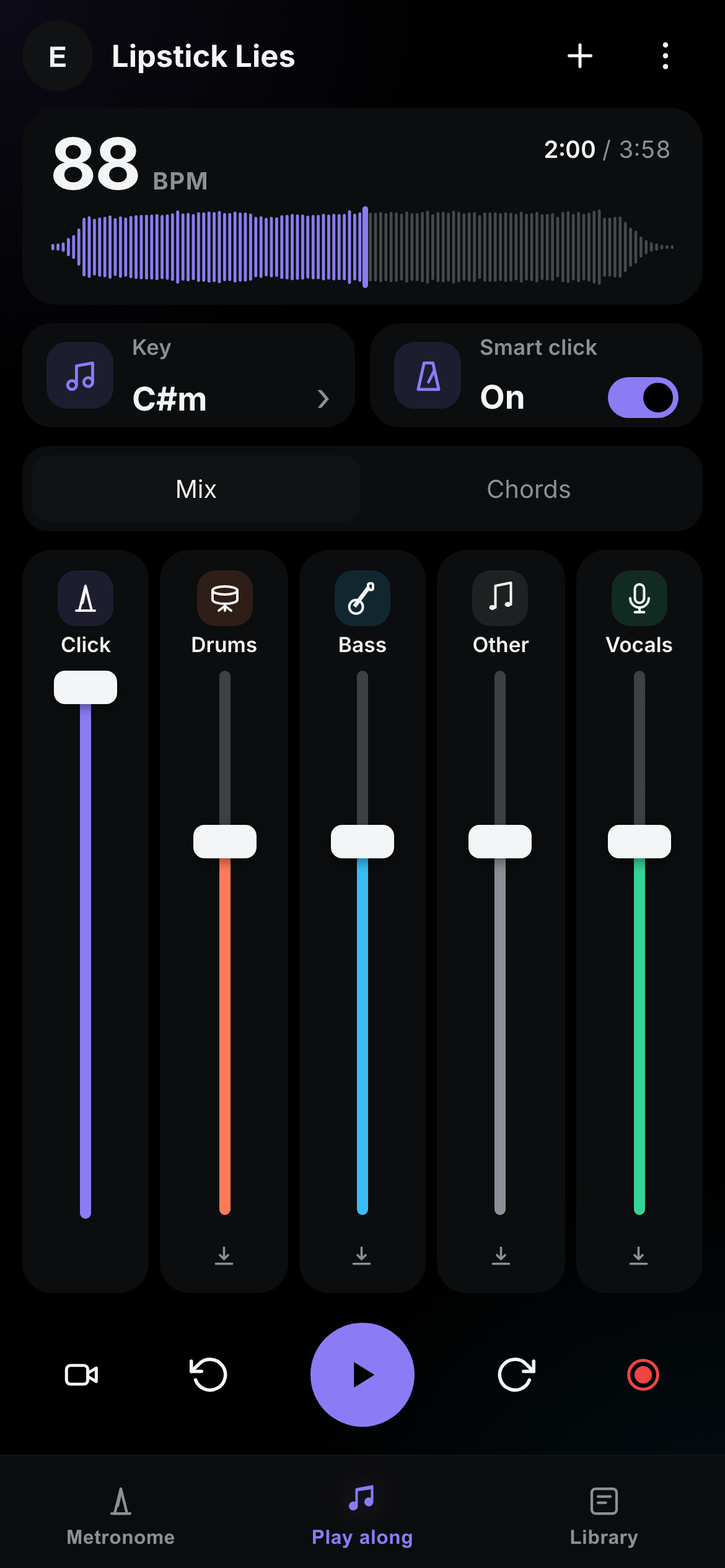
Load a song and soundleap separates it into vocals, drums, bass and “other”: everything that is not one of those three, such as guitars, keys, strings and synths. Each part gets its own fader, so you can mute what you play and solo what you are learning.
Web appAndroid appChrome extension
- Parts
- Vocals, drums, bass, other
- Where it runs
- In the cloud; on the phone in the Android app (optional)
- Your songs
- Private to your account, on all your devices
- Downloads
- Each part as a file (paid plans)
What quality to expect
Separation is very good on most studio recordings: vocals and drums usually come out clean, and the bass is solid. It is not perfect. You may hear a little cymbal in the vocal part, or a ghost of the voice under a loud chorus. For practice, where the other parts are playing too, that rarely matters.
Live recordings, very dense mixes and old mono recordings are the hardest. If a part sounds thin on its own, it usually still works as a backing when you mute it and play.
Four parts, honestly
soundleap separates four parts. Guitar and piano are not split from each other; both are in “other”. Some apps split more instruments. We chose four because those are the parts that come out cleanly enough to practise with, and because the chord chart covers much of what you would want a separate guitar or piano part for.
Cloud or phone
By default the separation runs on our servers and comes back while you watch the progress. In the Android app you can switch separation to the phone itself (Settings › Stem separation › On this phone). It needs a one-time model download and the phone gets warm, but the song never leaves the device.
The Chrome extension listens to a song once while it plays on the page and separates it in your browser.
More features
- Speed and keyHalf speed to double speed with the pitch kept. Any key, in semitones.
- LoopsRepeat the song in the app; loop any section A to B in the extension.
- Chords and keyA chord on every beat, bar by bar, and the song’s key.
- Smart click and beat gridA click on the song’s real beats, not a tempo that drifts away.
- Takes and video takesRecord yourself over the song. Film it with the chords on screen.
- Offline on AndroidYour saved songs play with no connection at all.
- Chrome extensionStems, speed, key, loops and a click right on YouTube.
- MetronomeA precise metronome with practice and poly modes, and setlists.