Practise on the video you are already watching.
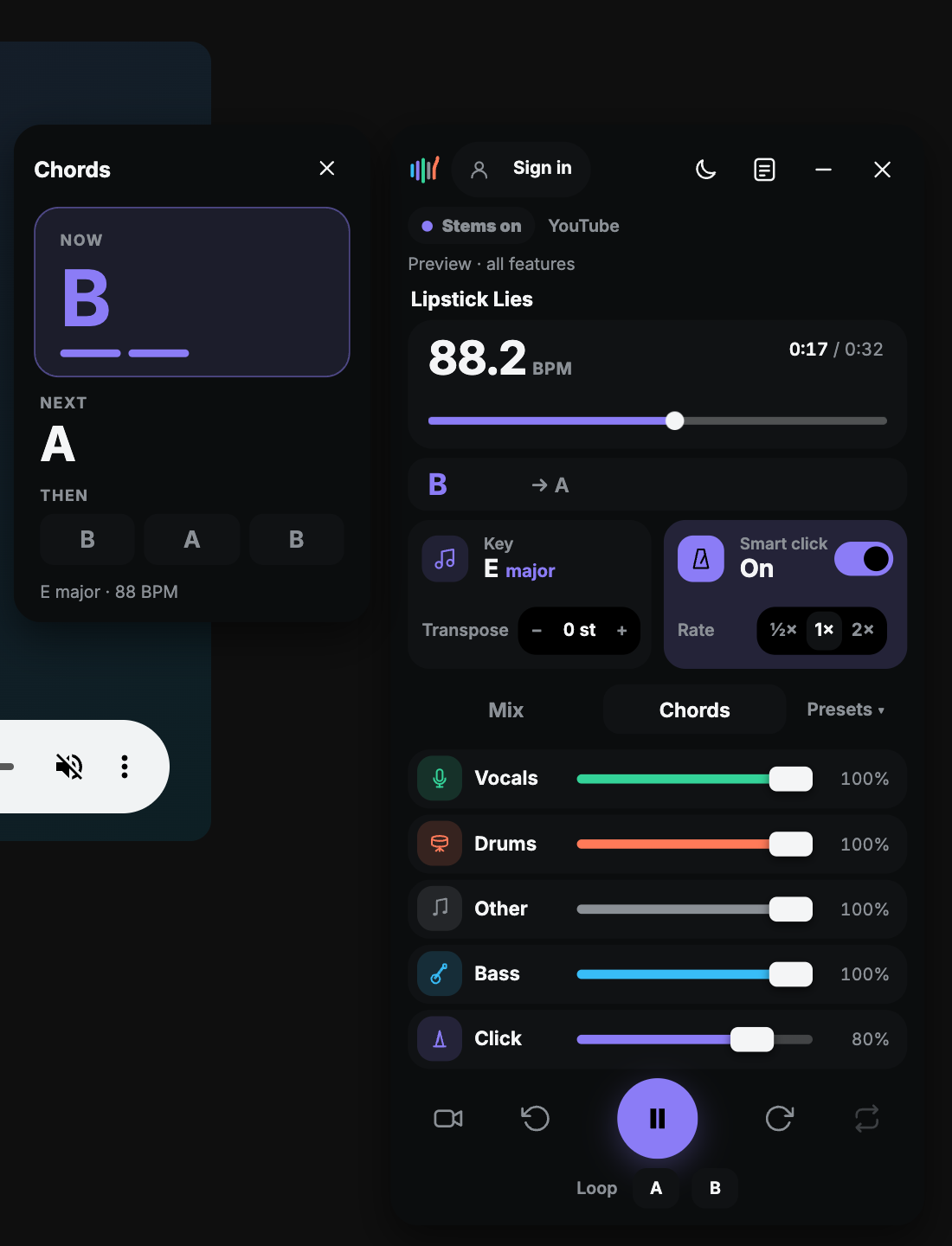
Most songs you want to learn are already on YouTube. The soundleap extension adds a small dock to the page: slow the video down, change its key, loop a section and switch on a click, without downloading anything. Play the song through once and it also gives you the parts, the beat grid, the key and the chords.
Chrome extension
- Sites
- YouTube, YouTube Music, SoundCloud, Bandcamp, Suno, Vimeo, Google Drive; any page on request
- Speed
- 0.5× to 1.5×, pitch kept
- Key
- ±12 semitones
- Loop
- A to B
- Status
- Coming to the Chrome Web Store
How it works
On a supported site a small soundleap pill appears in the corner when music plays; click it for the dock. On any other page, click the toolbar icon and choose Activate on this page.
To get the parts, press Separate stems and let the song play through once from start to end. soundleap listens, separates it in your browser, and the mixer, chords and click appear in the dock.
What it cannot do
It cannot work on protected streams (for example DRM-protected music services), and it steps aside during ads.
More features
- Stem separationVocals, drums, bass and everything else, each on its own fader.
- Speed and keyHalf speed to double speed with the pitch kept. Any key, in semitones.
- LoopsRepeat the song in the app; loop any section A to B in the extension.
- Chords and keyA chord on every beat, bar by bar, and the song’s key.
- Smart click and beat gridA click on the song’s real beats, not a tempo that drifts away.
- Takes and video takesRecord yourself over the song. Film it with the chords on screen.
- Offline on AndroidYour saved songs play with no connection at all.
- MetronomeA precise metronome with practice and poly modes, and setlists.