Chords on every beat, keys you can hear.
Keys players spend a lot of time working out voicings from a busy mix. soundleap strips the vocal, drums and bass away so the harmony is easier to hear, and shows the chord for every beat while the song plays.
Pianists and keys players
What gets in the way
- The voicing is hard to hear
- Solo “Other” to hear keys, pads and guitars without vocals, drums and bass in the way.
- Following a fast progression
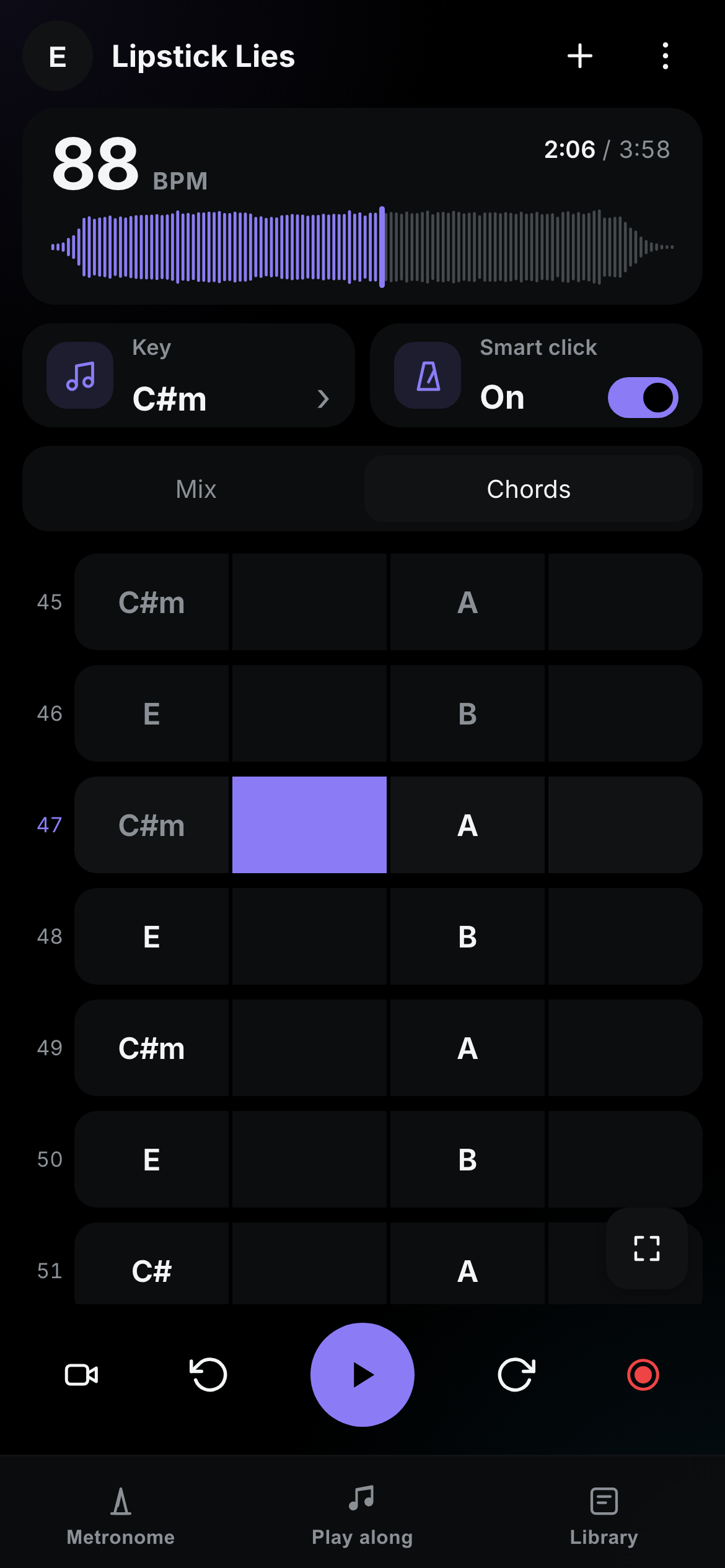
- The chord chart highlights the beat you are on and scrolls with the song.
- Playing in another key
- Transpose the song and the chord names follow, so you can read in the key you play.
- Fast runs
- Slow the song down to half speed without it dropping in pitch.
The tools that help
- Chords and key
A chord per beat, bar numbers, the song’s key and a full-screen view.
- Stem separation
Keys sit in “other” with guitars and synths: solo it to listen.
- Speed and key
Transpose by semitone; slow down with the pitch kept.
- Smart click and beat grid
Keep time with the record while you comp.
Practise a song like this
- 1
Load the song
Upload the audio in the app.
- 2
Open the chord chart
Switch to Chords and play the song once, just following the changes.
- 3
Listen to the harmony
Solo “Other” and slow down where the voicing changes fast.
- 4
Move it to your key
Transpose if the song needs it; the chart is renamed for you.
- 5
Comp along
Mute “Other”, keep bass and drums, and play the part.
Try it on a song you know.
Also for: guitarists, bass players, drummers, singers, teachers and students, bands and worship teams